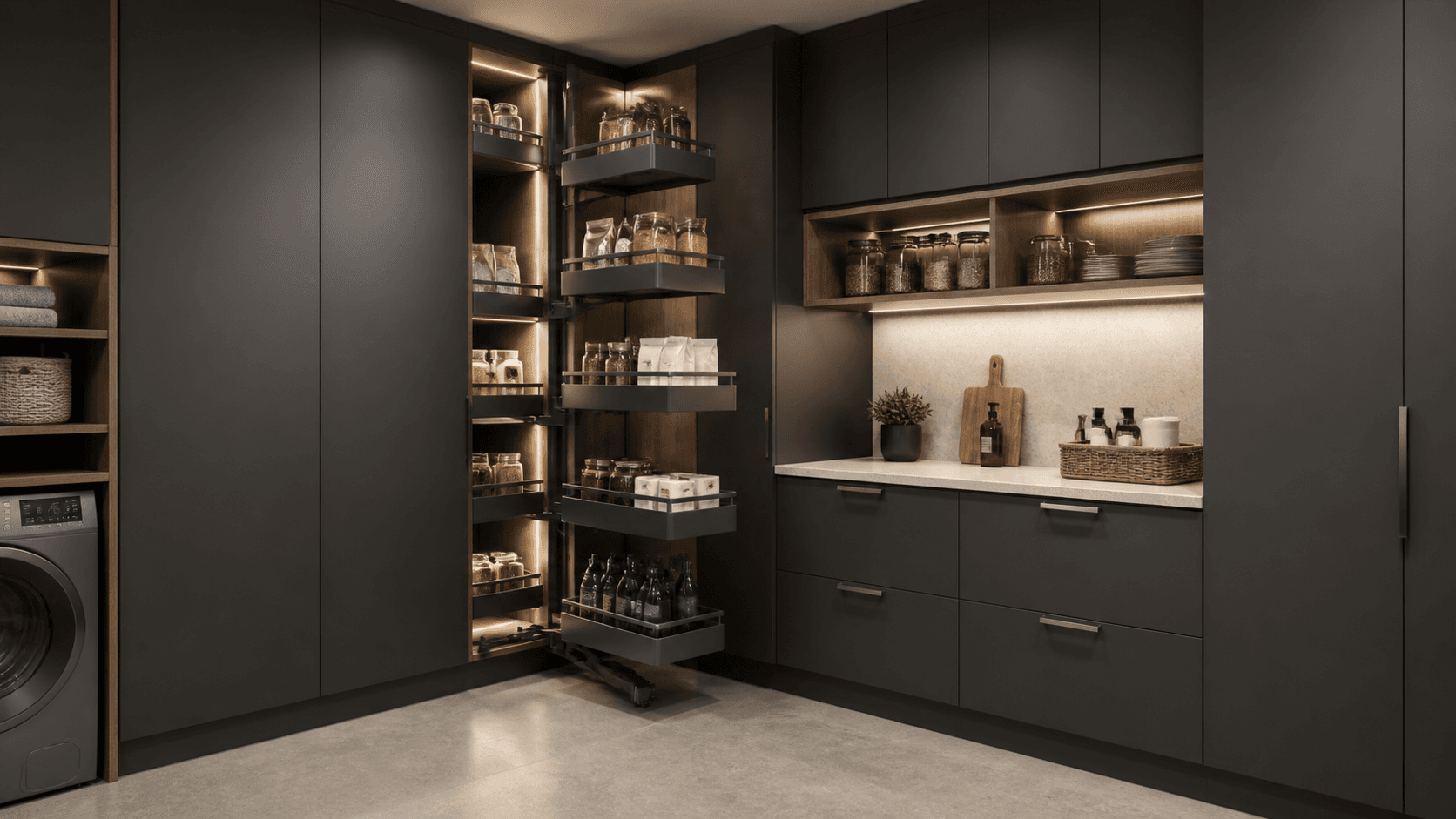
Pivot
Tall and drawer cabinets around a corner storage concept.
01 · Configure
Configure Pivot.
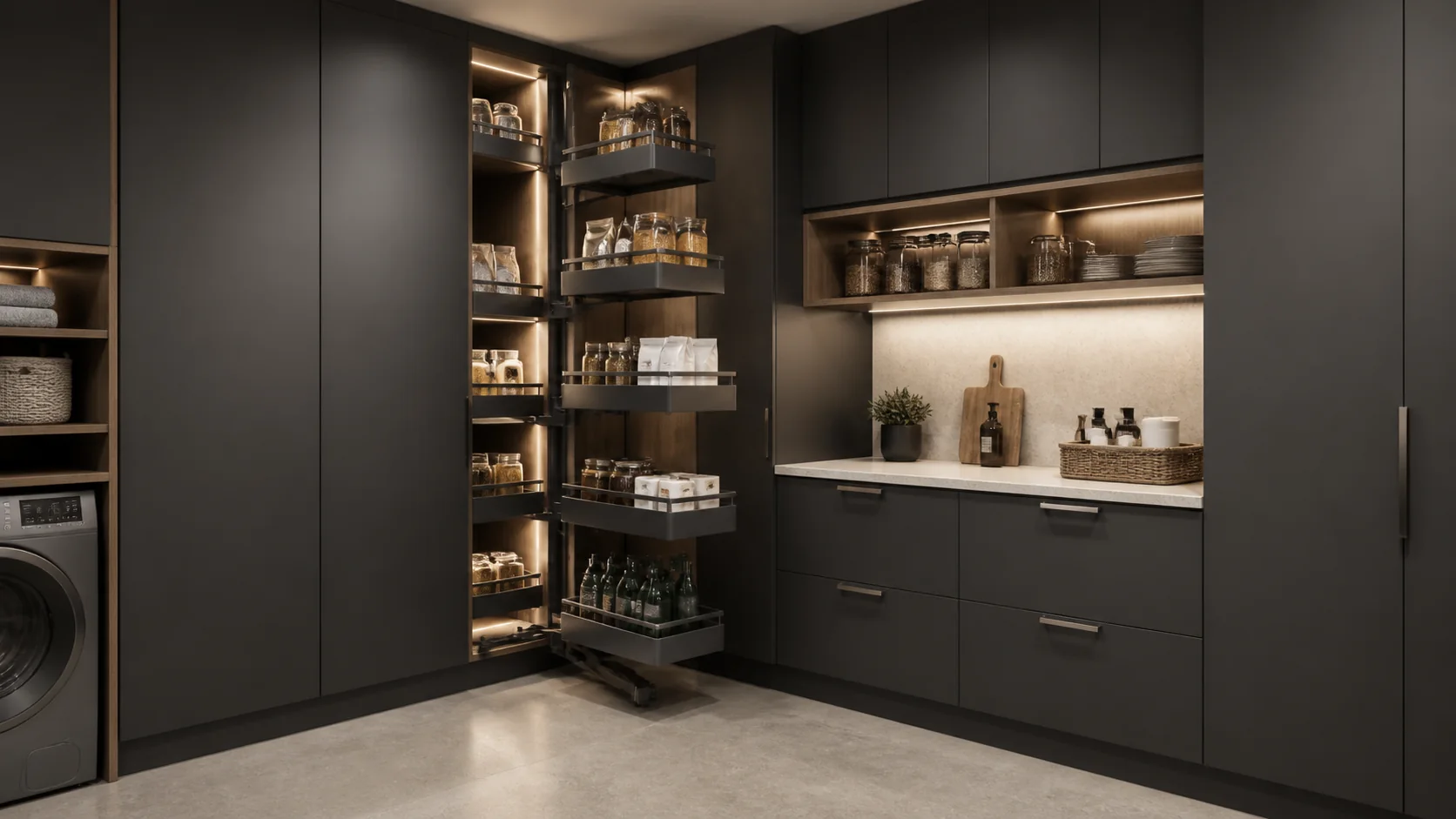
Current combination
Pivot · Charcoal
Step 01 · Cabinet family
Step 02 · Finish
Visual combinations are illustrative. Final compatibility follows the approved trade matrix.
02 · Room composition
Inside the Pivot room.
Selected cabinet
01 · Pantry Cabinet · PC2484
Step 01 · Room type
Step 02 · Selected cabinet
Article 01 / 05 01Closed view
Tall cabinet · Product rendering
Pantry Cabinet
- Configuration
- 2 full-height doors
These are kitchen-range RTA cabinet references illustrated in pantry use; confirm application fit. The pictured pull-out hardware is outside the selected cabinet schedule.
03 · Selected RTA references
The Pivot room starts with current catalogue modules.
Pantry
Utility
Laundry
Corner storage
The selected references are examples from the RTA catalogue. Confirm exact SKUs, finishes, fit, packing and availability in the project schedule.
Specification workflow
- 01Select
Review the illustrated room and selected catalogue module families.
- 02Schedule
Confirm exact SKU variants, dimensions and application fit with Lavaredo.
- 03Approve
Agree applicable fronts, finishes, surfaces and installation details for the project.
- 04Produce
Use the approved schedule for production and delivery planning.
Selected module families
04 · Trade details
The detail is here when you need it.
Review the selected catalogue references and their source configurations. Final project specifications follow a confirmed SKU schedule.
Program & module families+
Pivot illustrates a pantry with published kitchen tall, wall and drawer cabinet references. Pull-out hardware pictured in the room is a separate design element and is not included in the selected RTA cabinet schedule.
- Market
- Catalogue-referenced concept
- Planning
- Final SKU and fit schedule to confirm
- Status
- Confirm for each selected reference
01 · Pantry Cabinet
PC2484 · 2 full-height doors
02 · Pantry Cabinet
PC1584 · 1 side door
03 · Drawer Base Cabinet
3DB15 · 3 drawers
04 · Wall Cabinet
W2430 · 2 doors
Module configurations & visual options+
- PC2484
- 2 full-height doorsDimensions to confirm against the selected SKU schedule.
- PC1584
- 1 side doorDimensions to confirm against the selected SKU schedule.
- 3DB15
- 3 drawersDimensions to confirm against the selected SKU schedule.
- W2430
- 2 doorsDimensions to confirm against the selected SKU schedule.
Selected catalogue modules+
Pivot · RTA room concept
Specify the modules. Shape the room.
Start with the selected catalogue references, then confirm the exact SKUs, visible materials and installation details for your room.